
Hi all,
We've been busy! Over the past few weeks, we shipped a series of updates that make Popwork faster to use, easier on the eyes, and smarter after your meetings. Here's everything that's new.
✨ Let AI recap your 1:1 rituals for you
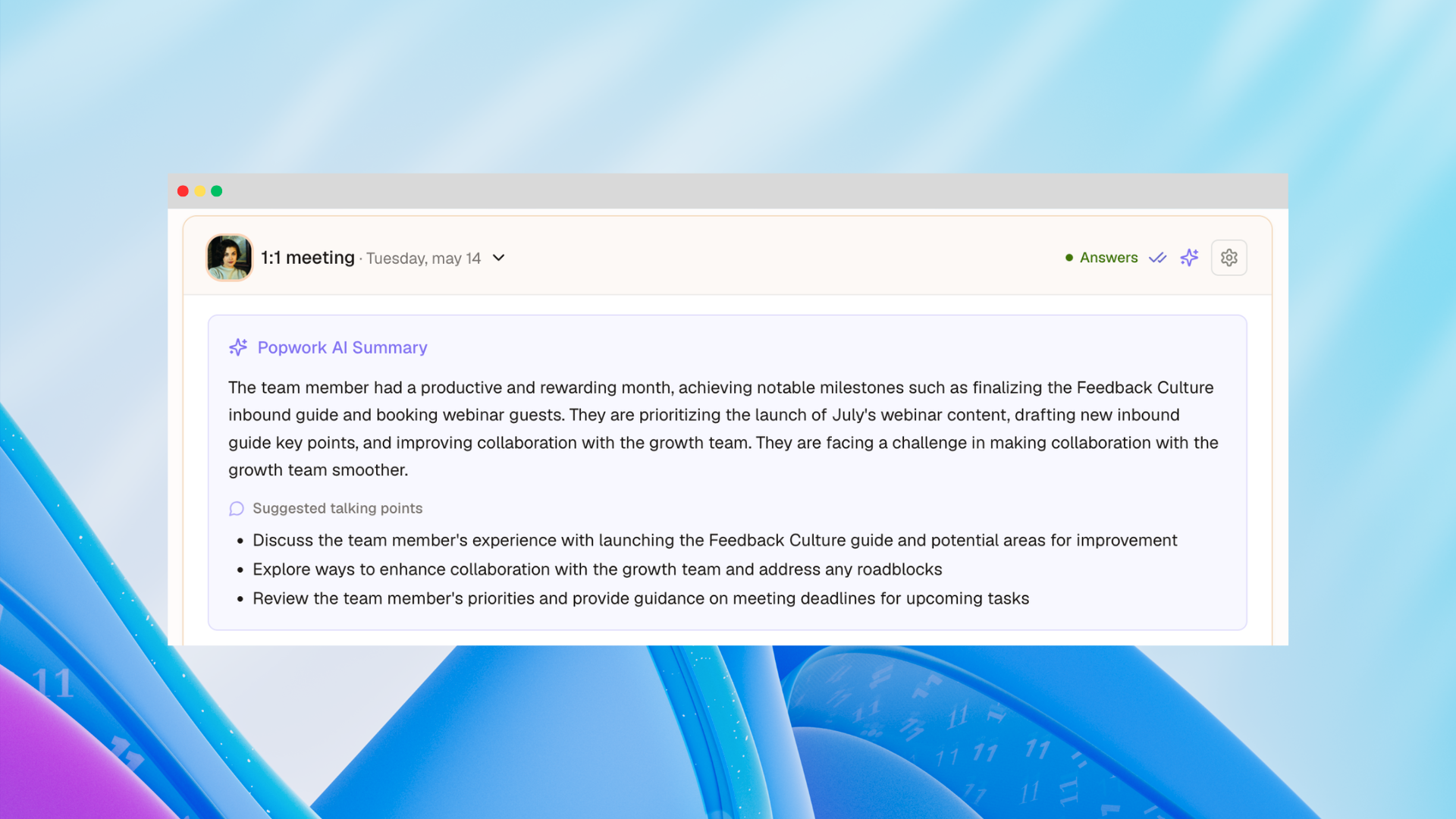
After every 1:1 ritual, you can now ask Popwork to generate a smart summary of what was discussed, in one click.
AI-powered summaries give you a quick, structured recap of the essentials, so you can stay focused on the conversation during the meeting and have a quick view of what matters afterwards.
To generate a summary, click the ✨ sparkles icon in the ritual's header once the 1:1 meeting is complete.
📎 Attach files directly to your rituals and workspaces
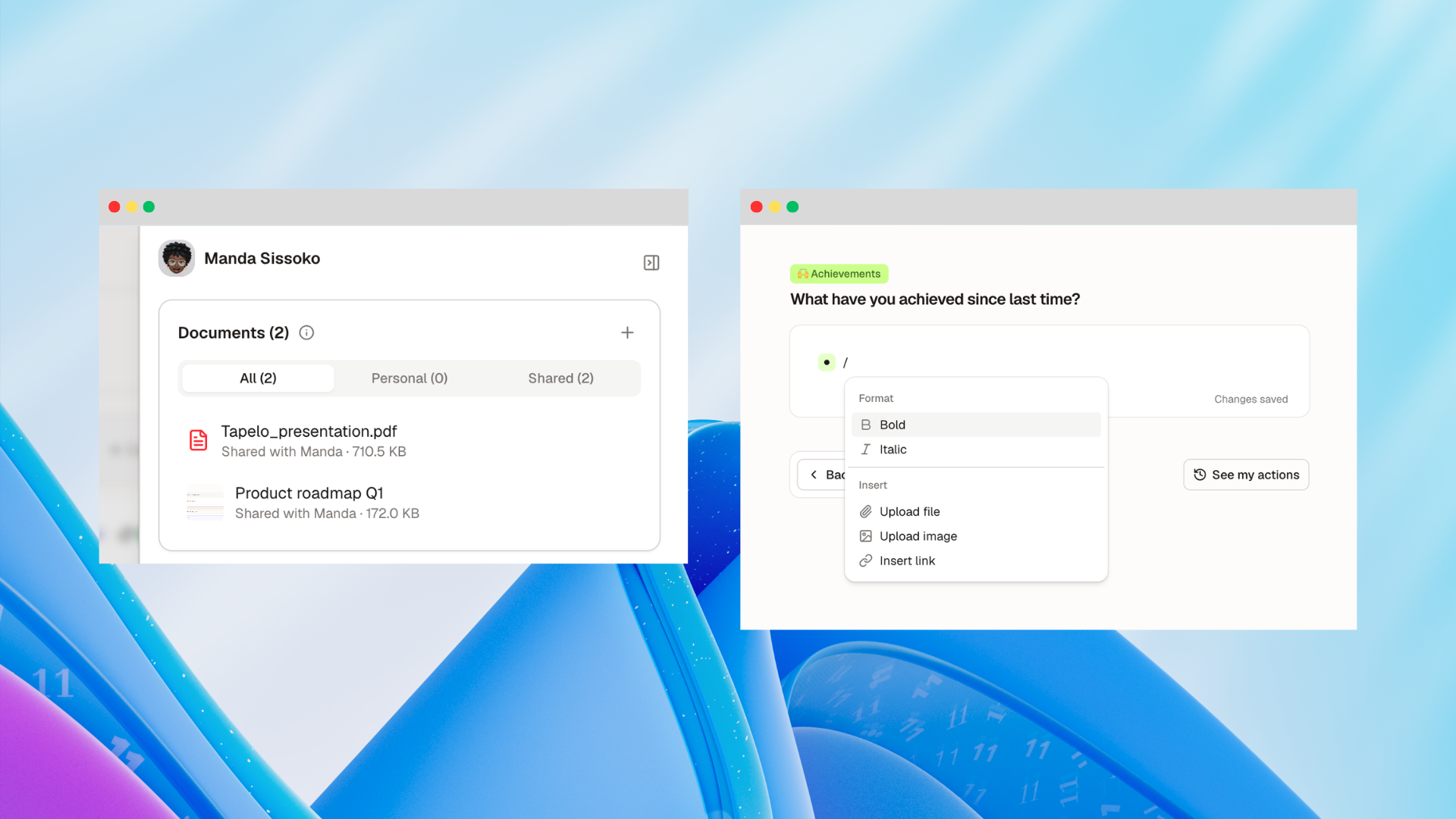
You can now upload files - PDFs, slides, images, reports, you name it - directly into Popwork, either in a ritual answer or in a shared workspace.
This might sound simple, but it changes a lot. Until now, the context behind your team conversations often lived somewhere else: in a shared drive, an email thread, or a Slack message. Now it can live right alongside the discussion itself, making it much easier to prepare for a meeting, follow up after one, or onboard someone new to a topic.
There are two ways to attach files: in a workspace, open the side panel and go to the Documents tab. In a ritual answer, drag and drop a file directly into the text area, or use the / command. Files shared by team members in their ritual answers are automatically listed in the Documents tab too, so nothing gets lost.
🎨 A refreshed design, and a dark mode
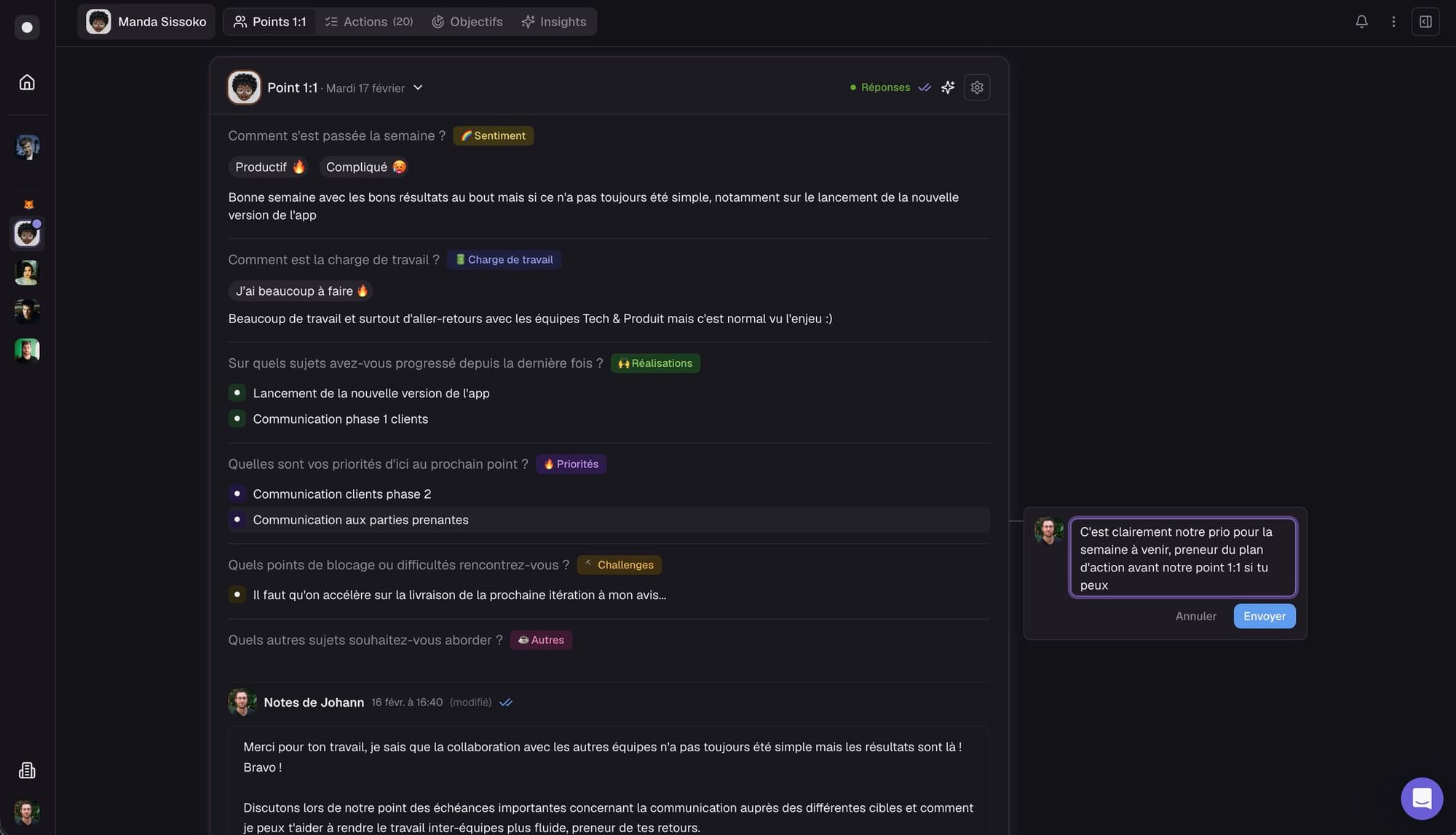
We've updated Popwork's design system across the board: new components, updated buttons, refined colors, and a cleaner overall layout. The goal was to make more content visible at a glance while improving readability and consistency throughout the app.
The most visible change? Dark mode is finally here. You can now choose between Light, Dark, or System theme - Popwork will follow your OS preference automatically if you pick the latter. To switch, go to your Profile → Preferences → Theme.
We also updated the way comments and emoji reactions work. A new floating button makes it quicker to react to answers, notes, and action items, and shared comments have a cleaner look on both desktop and mobile.
These updates are all live today. As always, we'd love to hear what you think, and if there's something you'd like to see next, feel free to reach out.
The Popwork team
 English
 Français